Construction documents are born in the wrong place for paperwork. An engineer on a scaffold agrees to move a wall opening, a site manager tells a subcontractor to add a drainage run, a client walks the floor and asks for different tiles. The work happens that afternoon. The paper, if it ever exists, follows weeks later, and by then the parties remember the conversation differently.
Most construction disputes are not about whether work was done but about whether it was instructed, at what price and with how much extra time. A signature collected at the moment of the decision, on the phone already in everyone's pocket, settles those questions before they become claims.
This article covers the documents that carry a project forward, with a focus on change orders, subcontractor agreements and handovers, and on how to sign them on site without slowing the work.
The documents that move a project
| Document | Usually issued by | Signed by | Risk if left unsigned |
|---|---|---|---|
| Site instruction | Client's engineer or contractor's site manager | Issuer, acknowledged by the receiver | Work done with no proof it was instructed |
| Change order (variation) | Contractor, on request | Contractor and client or their representative | Extra cost and time never agreed |
| Subcontract agreement | Main contractor | Subcontractor, then main contractor | Scope and payment terms disputed by the trade |
| Material or sample approval | Contractor | Consultant or client | Rejected materials after installation |
| Inspection record | Contractor or inspector | Inspector and site representative | Covered-up work that cannot be re-inspected |
| Handover certificate and snag list | Contractor | Contractor, consultant, client | Unclear start of the defects period |
The table shows a pattern: almost every document needs a signature from someone outside the organisation that wrote it. That is exactly where paper slows down, and where electronic signing gains the most time.
Change orders: from a site conversation to a signed variation
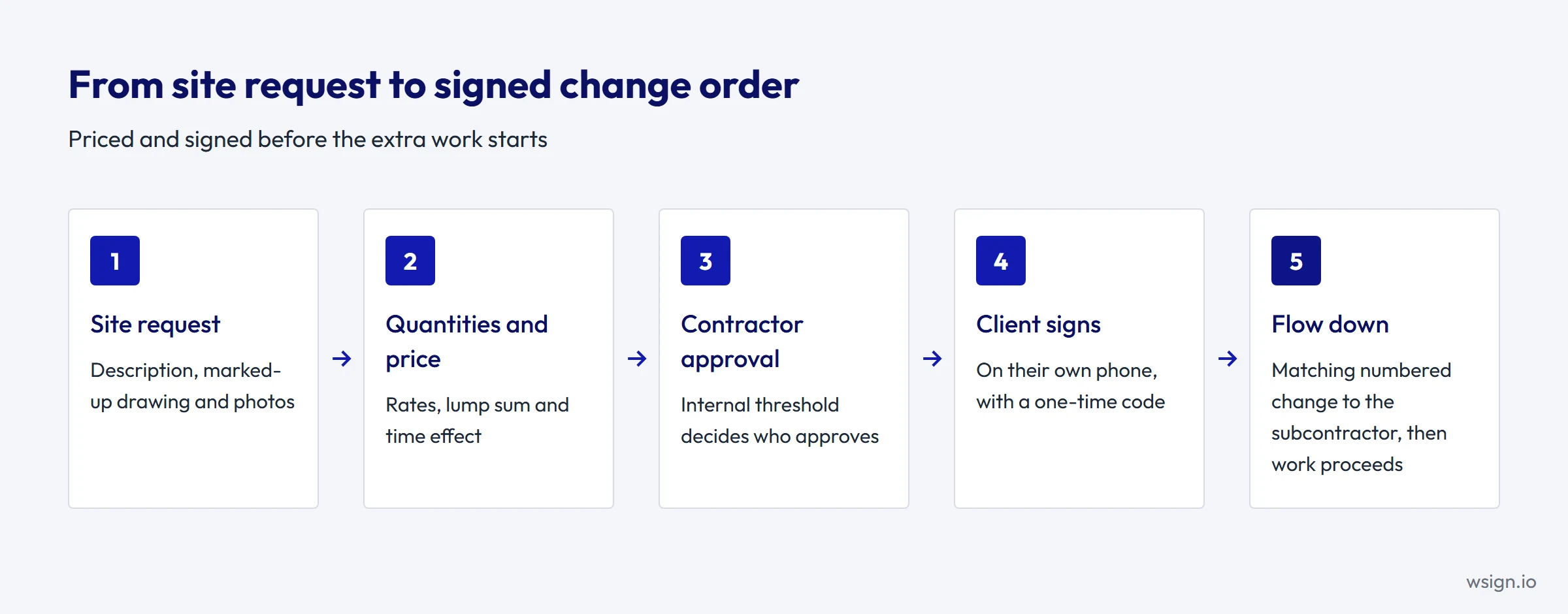
A change order is the formal record that the scope of work has changed and that the price and programme change with it. A complete one answers five questions: what changed, why, how much it costs, how much time it adds, and who approved it.
What to put inside the change order
- A unique number and a reference to the contract and to the drawing or instruction that triggered it.
- The description in plain words, with marked-up drawings and site photographs attached inside the same PDF, so the signature covers them.
- Quantities and rates, or a lump sum, and the method used to value it.
- Time effect: the number of days added to the programme, or an explicit statement that there is none.
- Effect on other work, such as resequencing or temporary works.
Leaving the time effect blank is a common and costly mistake. A client who signs a price but not a time extension may later argue that the original completion date still applies.
Mind the notice periods in your contract
Many construction contracts require a party to notify the other of a change or a claim within a fixed period, and some treat late notice as losing the right to claim. The exact rule depends on the contract form you use and on the governing law, so read your own contract and take advice where the sums are large. A signing process that takes hours instead of weeks makes these deadlines far easier to meet.
Subcontractor agreements and back-to-back changes
A main contractor may sign with a dozen trades on one project, each with its own scope, rates and programme. Three habits keep that chain consistent:
- Flow down the terms that matter. If the main contract sets notice periods, retention or insurance requirements, mirror them in each subcontract, and attach the subcontractor's insurance certificates inside the signed file.
- Confirm who signs for the subcontractor. A foreman on site may not have authority to bind the subcontracting company. Ask for the name of an authorised signatory; the article on who can sign for a company explains what to check.
- Mirror every signed change. When the client signs a change order affecting a trade, issue the corresponding change to that subcontractor before the work starts, numbered so it can be traced back to the client's order.
For subcontract agreements, a signing order of subcontractor first and main contractor last lets the commercial team check the signed version before committing. Multiple signers with a fixed order handles this automatically. Freelancers and agencies follow the same principle on a smaller scale, as described in freelancer client agreements.
Signing on site, on a phone
Site conditions are hard on any process: dust, gloves, sunlight on screens, patchy coverage, and people who are busy. A signing request designed for a desk will stall there. These checks help it go through.
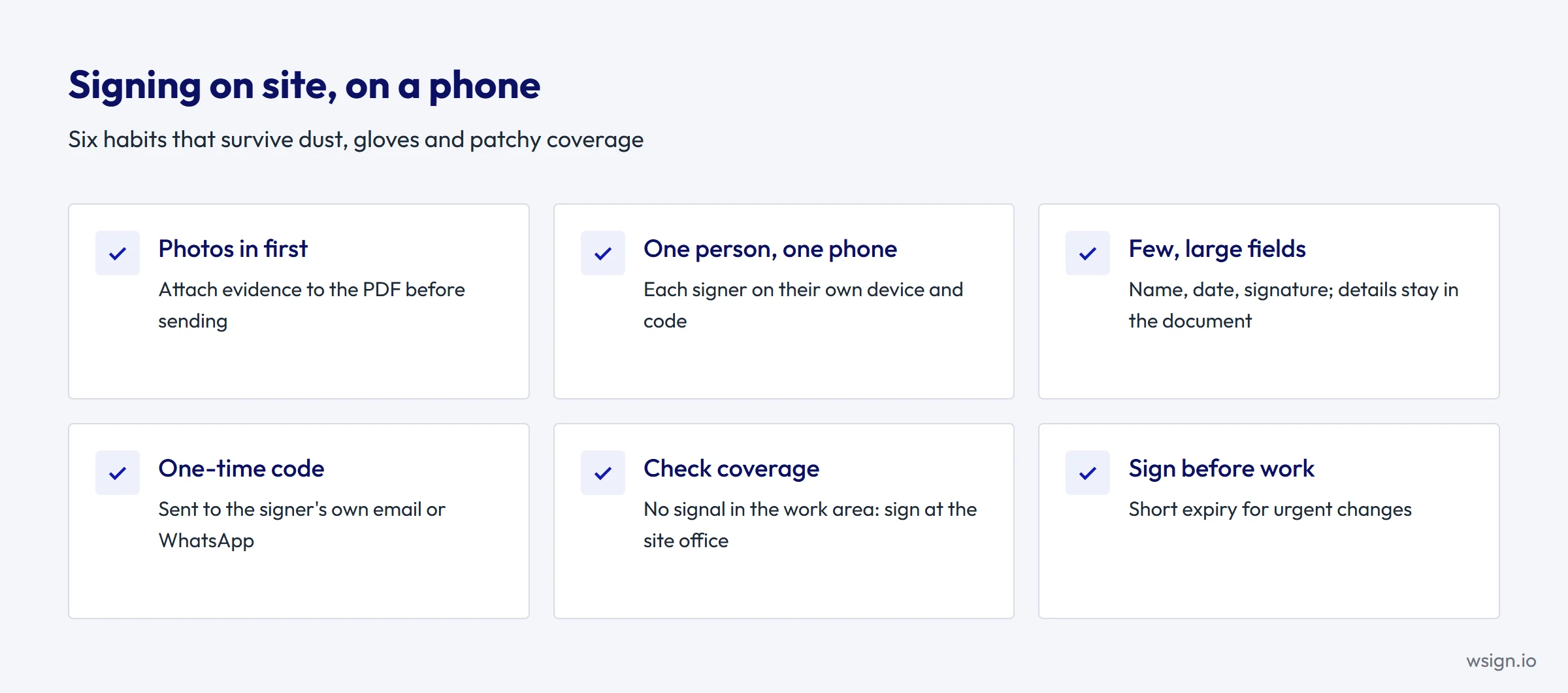
- Attach the evidence before sending. Photographs and marked-up drawings go into the PDF first; adding them after signature means they are not covered.
- One person, one phone. Each signer signs on their own device, with the one-time code sent to their own email or WhatsApp. Passing a site tablet around produces signatures that are hard to attribute later.
- Few, large fields. A name, a date and a signature are usually enough on site. Detailed data belongs in the document, prepared in the office.
- Plan for coverage. Signing needs a connection. If the work area has none, sign at the site office or at the gate, but before the work starts.
- Use the channel people read. Many site teams live on WhatsApp; sending the request and the code there gets faster answers.
- Set a short expiry for urgent changes so an unsigned order does not linger while work proceeds on assumption.
Handovers and acceptance
A handover certificate often marks the start of a defects or warranty period, so its date matters. Prepare it with the snag list attached, send it to the contractor, consultant and client in a fixed order, and let each signature carry its own timestamp. Photographs of the finished areas, included in the file, record their condition at handover.
Close-out of the snag list deserves its own signature too. When the last items are fixed, a short signed confirmation avoids the familiar argument about whether the list was ever completed.
Approval thresholds inside the contractor
Not every change order should go to the client on the site manager's authority. Many contractors set internal thresholds; for example, a firm might let site managers approve small variations and route larger ones to a commercial manager. Express those thresholds as an internal review workflow, so the client only ever receives change orders that the contractor has already approved internally.
Records that survive a dispute
When a project ends in a final account negotiation or a formal claim, the side with the better records usually has the stronger position. Signed electronic documents help in specific ways:
- Each signed file carries an evidence record showing who signed, when, from which verified channel, and in what order. See how audit trails work.
- A document fingerprint and trusted timestamp show the file has not changed since signature.
- A verification number can be quoted in payment applications and the change register, so anyone reviewing the account can check the order on the verification page.
Keep a numbered change register for the project, with each entry linked to its signed file. It is the single document a quantity surveyor, a client or an adjudicator will ask for first.
Frequently asked questions
Can a client sign a change order on the phone during a site visit?
Yes, provided they sign on their own device with a code sent to their own contact details. Prepare the document beforehand so the client only needs to review and sign.
Is a WhatsApp message approving extra work enough?
It may help as evidence, but it rarely states price, time and scope together. A signed change order records all three. Use the message as the trigger, not as the record.
What if the site has no mobile coverage?
Signing needs a connection at the moment of signing. Sign at the site office or another point with coverage, ideally before the instructed work begins.
Who should sign for a subcontractor?
A person authorised to bind the subcontracting company, which is not necessarily the supervisor on site. Ask for the authorised signatory's details at the start of the subcontract.
Send your next change order from site with photos attached: create a wsign account, or read how teams in operations set up their approvals.
This article is general information, not legal advice.