Most signing problems are not created at the moment someone signs. They are created a few minutes earlier, when the sender uploads a file, adds recipients and presses send without a final pass. A misspelled company name, a signature field assigned to the wrong person or a link that expires before the other side returns from holiday can each turn a routine agreement into a second round of emails.
The fix is cheap: a short, repeatable review before every send. This article gives you that review as nine checks, explains why each one matters, and ends with a table you can copy into your own process. It is written for anyone who sends documents for signature, whether that is one contract a month or dozens a day.
One principle runs through all nine checks: after the first signature lands, the document should be treated as frozen. Fixing anything after that point usually means withdrawing the request, correcting the file and asking everyone to sign again.
Why correcting after signing costs so much
An electronic signature is tied to a specific version of a document. In a well-built signing service, the file receives a fingerprint (a SHA-256 hash) that changes if even one character changes, which is exactly what makes the signed copy trustworthy later. If you want to understand that mechanism in depth, see our article on document hashes and integrity.
The practical consequence is simple. You cannot quietly correct a typo in a signed agreement; any change produces a new document that needs new signatures. So the time to catch errors is before the request leaves your hands.
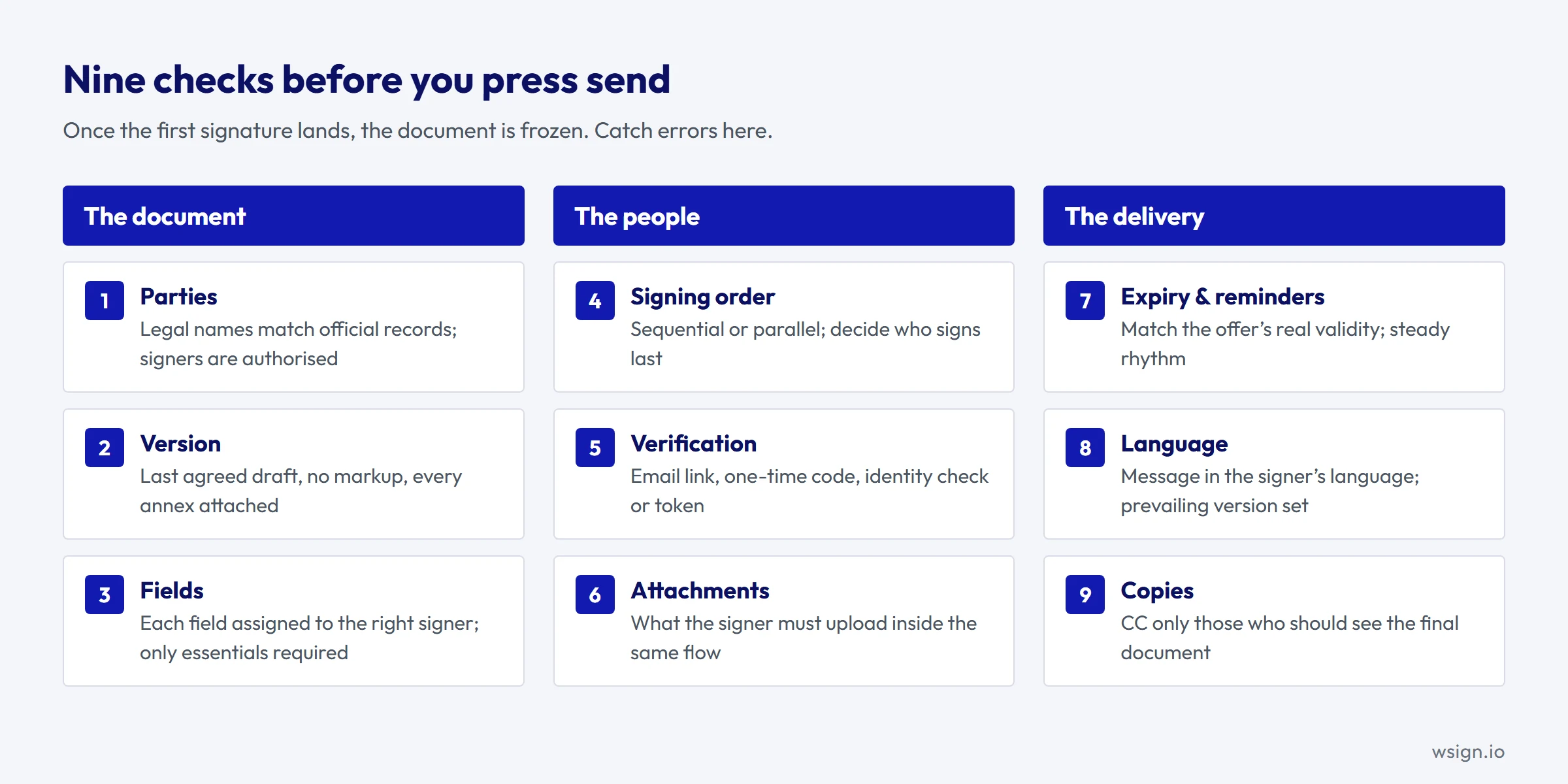
Check 1: Parties and their exact legal names
Compare every party name in the document against an authoritative record: a commercial registration extract for companies, an identity document for individuals. Trade names, abbreviations and old names after a rebrand are common sources of mismatch.
- Use the registered name of the company, not its brand.
- Confirm that the person signing for a company is authorised to do so. Our sibling article on who can sign for a company covers how to check that authority.
- Make sure the name you type for each recipient matches the name in the document body, so the audit trail and the contract tell the same story.
Check 2: One final version
Version confusion causes more disputes than people expect. Before sending, confirm that the file you are about to upload is the last version both sides agreed on.
- Open the last negotiated draft and the file you plan to send side by side, and compare key clauses: price, term, notice periods, liability caps.
- Remove tracked changes, comments and highlighted text. A PDF exported from a word processor can still carry visible markup.
- Check that every schedule or annex referenced in the body is actually attached, and that page numbering reads "page X of Y" so missing pages are obvious.
- Give the file a clear name, for example the counterparty, the document type and the date, so nobody confuses it with an earlier draft in their inbox.
Check 3: Fields belong to the right signer
When you import a PDF and place fields, each field is assigned to a specific recipient. A date field assigned to you instead of the counterparty, or a mandatory field placed on a page the signer never needs to reach, will stall the process.
- Mark as required only what you truly need. Every required field is one more thing that can stop a signer.
- Do not ask signers to type information you already have; prefill it in the document.
- Send a test request to yourself the first time you use a new document layout, and complete it on a phone as well as a computer.
Check 4: Signing order
Decide whether people sign in sequence or in parallel. Sequential order suits documents where one signature depends on another, for example when an internal manager should countersign only after the client has signed. Parallel signing is faster when the parties are independent. The trade-offs are explained in our guide to multi-party signing order.
A common choice is to let the external party sign first and your authorised signatory last. That way your company does not commit to terms the other side may still refuse.
Check 5: Verification level that matches the risk
An email link may be enough for a low-value acknowledgement. A loan agreement or a sale of significant assets justifies more: a one-time verification code by email or WhatsApp, identity verification by a specialised provider, or signing with a certificate token. Choose the level before you send, because changing it afterwards means a new request. Our article on signer authentication levels offers a decision matrix.
Check 6: Attachments and supporting documents
Think about what you will need from the signer, not just what you send to them. If your process requires a copy of an identity document, a company registration certificate or a signed purchase order, request it inside the same signing flow instead of chasing it by email afterwards. Keeping supporting files with the signed document also makes the evidence file complete.
Check 7: Expiry and reminders
An expiry date protects you from someone signing an offer months after it stopped reflecting your prices or capacity. Set it to match the real validity of the offer. Too short, and the link expires while the signer is travelling; too long, and stale offers stay open.
Reminders work best on a predictable rhythm, for example a first reminder after two days and another shortly before expiry. Avoid daily reminders for documents that legitimately need internal review on the other side.
Check 8: Language
Send the invitation in the signer's language and make sure the document language is the one the parties agreed. For Arabic–English contracts, confirm which version prevails if the two differ; our sibling article on bilingual contracts and the prevailing language walks through the clause and the layout.
Check 9: Who receives a copy
CC recipients receive the completed document, so treat the list as a disclosure decision. Include the people who need the final copy, such as an account manager or the finance team, and leave out anyone who should not see personal data or commercial terms in the agreement.
The checklist in one table
| Check | Question to answer | What goes wrong if skipped |
|---|---|---|
| Parties | Do names match official records, and is each signer authorised? | A signature from the wrong entity or an unauthorised person |
| Version | Is this the last agreed draft, clean of markup, with all annexes? | Signing terms nobody agreed to |
| Fields | Is each field assigned to the right person, and only the necessary ones required? | Signers stuck on fields meant for someone else |
| Order | Sequential or parallel, and who signs last? | Your company committed before the counterparty |
| Verification | Does the level fit the value and risk? | Weak evidence for a high-stakes agreement |
| Attachments | What must the signer provide? | Weeks spent chasing documents later |
| Expiry and reminders | When does the offer stop being valid? | Stale offers signed, or links expiring too soon |
| Language | Which language for the message and which version prevails? | Confusion over which text binds |
| Copies | Who receives the final document? | Personal data sent to people who should not have it |
A worked example
Imagine a facilities company sending a twelve-month cleaning services agreement to a new client. The account manager uploads the PDF and is about to send. Running the checklist, she notices that the client's legal name in the first paragraph is the brand name from the website, not the registered name on the commercial registration. She also finds that Schedule B, the price list, is referenced but was not merged into the PDF.
She corrects both, assigns the client's signatory to sign first and her own director to sign second, sets a one-time code by email because the contract value is moderate, and gives the request fourteen days to match the quote's validity. The finance team is added as a CC recipient. Five minutes of review saved a withdrawn request and an awkward explanation to a new client.
Make the checklist a habit
A checklist only helps if it is used every time. Teams that send many similar documents can build the checks into an internal review step, so that a second person confirms parties, version and verification level before anything goes out. Our sibling article on designing a contract approval workflow explains how to set that up without slowing every deal down.
Frequently asked questions
Can I fix a typo after the other party has signed?
Not in the same signed document. Any change creates a new version, so you would need to cancel the request, correct the file and collect signatures again. Agree with the counterparty before you do this, so they understand why a second request is coming.
How long should the expiry period be?
Match it to how long your offer is genuinely valid. Many teams use one to two weeks for commercial agreements, but the right figure depends on how long the other side needs for its own review.
Should I always use the strongest verification available?
No. Stronger verification adds steps for the signer. Use it where the value or risk of the document justifies it, and keep low-risk documents simple.
Who should run the checklist, the sender or a reviewer?
The sender should always run it. For high-value or non-standard documents, a second reviewer adds a useful independent check.
When your document passes all nine checks, you can create a wsign account and send it with signing order, reminders and the verification level you chose.